


Ulanzi RT02
Best for your phone. Light, folding, quick to set up.
See price on AmazonOpens Amazon in your country: amazon.fr, amazon.de, amazon.pl, amazon.es and more.
As an Amazon Associate we earn from qualifying purchases.
DetailsFree online teleprompter
Paste your script, press Start and read at your own pace while you look straight into the camera. Built by a videographer for real shoots: no download and no account to start, with your lines right under the camera, recording, a video editor, a phone remote and an AI script writer when you need them.
What it does
 For videographers
 Camera and recording
 AI script writer Pro
 Remote control Pro
 Practice links Pro
 Video editor Pro
New: eye contact and recording
Press Start camera and the lines you're reading move into a narrow island right under the camera: the Dynamic Island on an iPhone, the notch on a Mac, the top of the screen on an iPad or in your browser. Your eyes stay on the lens, and nobody can tell you're reading.
New: the video editor Beta
Your takes go to Your videos, and the video editor picks them up: cut the stumbles, lay B-roll over your words, add music, sound effects and titles, fix the color, and export an MP4. In your browser, with nothing to install.
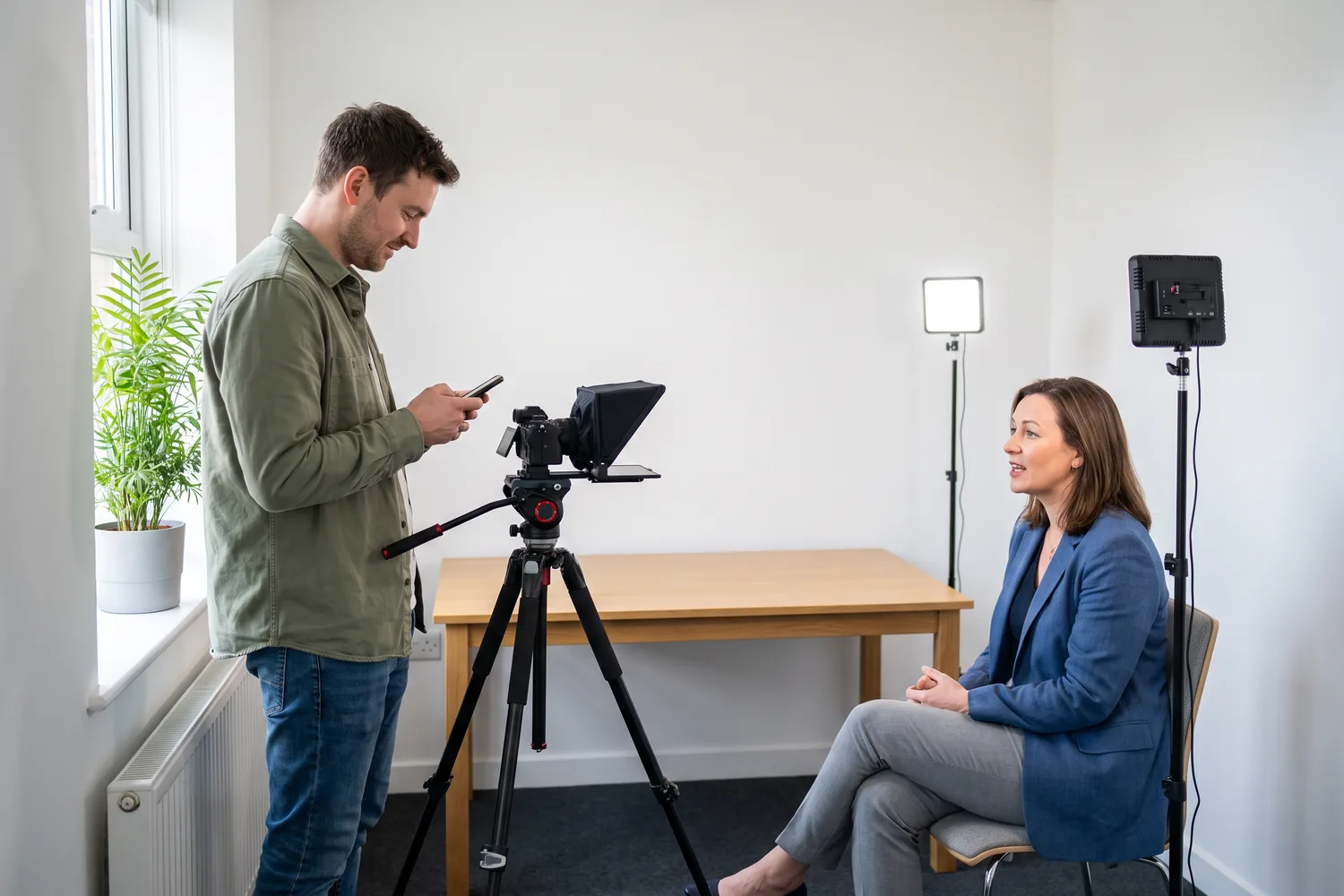
00:05 Made for real shoots
EasyPrompter is made by a videographer, for videographers, creators and anyone who has to look into a lens and get the words right.
Open it in any browser, paste the script and press Start. No install and no account to start, and one screen with only the buttons you need. Tap the text to pause, drag it to go back.
Open the teleprompterScan a QR code on the prompter screen and any phone becomes the remote, with no sign-in. Play, pause, change speed, jump to any paragraph, or swipe in touchpad mode: up for faster, down for slower.
How remote control worksDescribe your video, pick a length and a tone, and get a script written to be spoken, sized to your reading speed, in seven languages. Then adjust any script with AI: shorter, warmer, simpler or translated.
The AI script writerSend the script as a practice link. They rehearse on a real prompter laid out like your shoot screen, fix the wording and set their own speed. You get their version back in one tap.
How practice links work“Most people I film aren't presenters, and they shouldn't have to be. I built EasyPrompter so they can just talk to the lens, while I run the prompter from my phone behind the camera.”Yves Benini, videographer and founder of Dynamic Digital
00:10 Practice links Pro
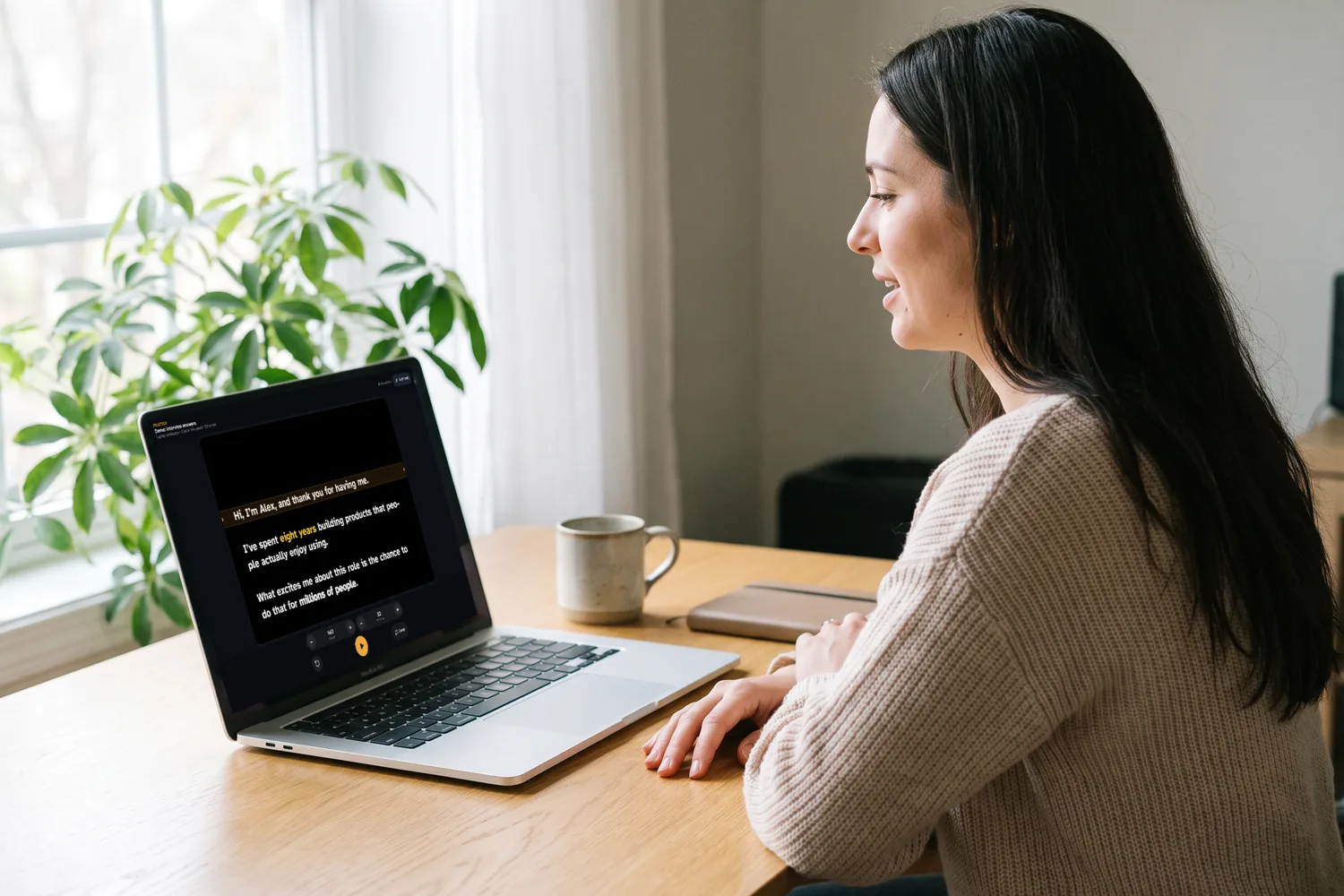
Share a practice link with the person who will be on camera. They open it on any phone or computer, with no account, and rehearse on a prompter set up exactly like the one at the shoot.
See the demo as an iPhone, an iPad on its side or a laptop.
00:12 Teleprompter hardware
A beam-splitter teleprompter puts your script on angled glass in front of the camera, so you look straight into the lens while you read. EasyPrompter works with all of them. Here are three we recommend.
Best for your phone. Light, folding, quick to set up.
See price on AmazonOpens Amazon in your country: amazon.fr, amazon.de, amazon.pl, amazon.es and more.
As an Amazon Associate we earn from qualifying purchases.
Details
Best for a tablet and a camera. Big, clear text.
See price on AmazonOpens Amazon in your country: amazon.fr, amazon.de, amazon.pl, amazon.es and more.
As an Amazon Associate we earn from qualifying purchases.
Details
Best at your desk. Its own screen, run from your computer.
See price on AmazonOpens Amazon in your country: amazon.fr, amazon.de, amazon.pl, amazon.es and more.
As an Amazon Associate we earn from qualifying purchases.
Details00:15 Teleprompter app
Download EasyPrompter from the App Store, or open it in any browser with nothing to install. One account, the same scripts and one Pro on every screen.
Prop it under the lens, put it on a rig with mirror mode, or hold it as the remote for another screen.
The iPhone appBig type for rigs and lecterns, scripts in a sidebar, a keyboard and an external display.
The iPad appA Mac window under your webcam for calls and courses, with the menu bar and shortcuts.
The Mac appAndroid, Windows, Chromebook: open the web app and press Start. With Pro, install it on your home screen.
Use your phone as a teleprompter00:10 Features
EasyPrompter was built for real recording days: a phone propped under the lens, one take left before the light goes, and no patience for menus.
Set your speed in words per minute, from 40 to 320. EasyPrompter shows the word count and how long your script takes at that speed.
A cue-light guide marks the line to read. Move it up the screen so your eyes stay close to the camera.
Mirror left/right and flip upside down for beam-splitter glass rigs, so the reflection reads the right way round.
Play and pause with Space, change speed with the arrow keys and jump with a presentation clicker. No extra app needed.
Including Atkinson Hyperlegible, a typeface designed for legibility. Adjust size, line spacing, margins, colors and ALL CAPS.
A camera-style strip lets you change font, colors, mirror and layout without leaving the prompter. Controls hide while you read.
00:20 How it works
Paste it from anywhere or type it in. With Pro, keep as many scripts as you like and switch between them with one tap.
Choose your speed, font size, colors and reading line. Turn on mirror mode if you use teleprompter glass.
A 3-2-1 countdown, then smooth scrolling. Tap to pause, drag to rewind, and the screen stays awake until you finish.
00:30 AI script writer Pro
Tell EasyPrompter what your video is about, pick a length, a tone and a format, and get a script written to be spoken, sized to your own reading speed.
AI teleprompter from €5.75/month billed yearly.
00:50 Who it's for
01:00 Pricing
The full teleprompter is free, with no account, one script at a time. Pro saves and syncs your scripts and adds recording, the video editor, remote control, practice links, the script editor, the AI script writer and the app.
No account needed
€0
For creators who write a lot
€5.75/month, billed yearly
or €11.99 billed monthly. VAT included.
01:10 FAQ
Yes. The full teleprompter is free and works without an account: every speed, font, color and mirror setting, plus keyboard, Bluetooth remote and clicker control. The free teleprompter holds one script at a time and doesn't save it. Pro, the paid plan, saves and syncs your scripts and adds remote control from another device, practice links, the script editor, the AI script writer and the installable app.
Yes. Open EasyPrompter in your phone's browser, paste your script and press Start. Prop the phone just below or beside your camera lens so your eyes stay close to it, or place it under beam-splitter glass and turn on mirror mode.
Most people read comfortably between about 130 and 160 words per minute. EasyPrompter starts at 140 and lets you set anything from 40 to 320, and you can change it by 10 at a time while you read. Our guide to teleprompter reading speed explains how to find yours.
Yes. Tap Mirror so the text reads correctly in the glass, and Flip if your rig needs it. See how to use mirror mode with a beam splitter.
Yes, with Pro. Press Share for practice, pick the prompter screen you’ll use at the shoot (for example an iPhone on its side or an iPad), and send the link. Your speaker opens it with no account, rehearses with play, loop, speed and text size, and can edit the words. Their changes and settings are saved to the link and come straight into your script and your prompter. Try the demo practice link.
Yes. Keyboards, Bluetooth remotes and presentation clickers work: Space plays and pauses, the up and down arrows change speed, left and right or Page Up and Page Down jump to the previous or next paragraph, M mirrors and Esc goes back to your script.
Yes, with Pro. Press Start camera, then Record: after the countdown, the recording and the scrolling start together, with your lines in a small island right under the camera. The script isn't in the video, and the video stays on your device unless you save it to Your videos. You can also record with any camera or app while EasyPrompter shows your script.
Yes, with Pro. Save your takes to Your videos, then open the video editor in the web app on a computer: cut the stumbles, add B-roll, music and sound effects, fix the color, add titles, crop for any platform and export an MP4. The editor is in beta, and its AI Generate tab makes music, sound effects and B-roll, paid with credits. See the video editor.
Without Pro, your script stays in the open browser tab and is not saved anywhere. With Pro, your scripts are stored in your account so they can sync between your devices. Read our privacy policy for details.
Rolling
Open EasyPrompter, paste your script and press Start. It's free, it runs in your browser, and it's ready when you are.